
Lauriston Farm
Navigation
  • About
    • The Farm
    • Our Approach
    • The Team
    • Partnerships & Research
    • Funding & Support
  • What We Do
    • Farm Map
    • Market Garden
    • Agroforestry
    • Wildlife & Biodiversity
    • Community Orchard
    • Community Growing
    • Mixed Native Woodland
    • Skylark Field
    • Our Seeds & Grains
  • Get Involved
    • Visit
    • Volunteer
    • Upcoming Events
    • Education & Training
    • Donate
  • Buy Produce
  • Farm News
  • Contact Us
  • About
    • The Farm
    • Our Approach
    • The Team
    • Partnerships & Research
    • Funding & Support
  • What We Do
    • Farm Map
    • Market Garden
    • Agroforestry
    • Wildlife & Biodiversity
    • Community Orchard
    • Community Growing
    • Mixed Native Woodland
    • Skylark Field
    • Our Seeds & Grains
  • Get Involved
    • Visit
    • Volunteer
    • Upcoming Events
    • Education & Training
    • Donate
  • Buy Produce
  • Farm News
  • Contact Us
12 events found.

Events

Events Search and Views Navigation

Event Views Navigation

  • List
  • Month
Today
  • December 2023

  • Fri 1
    Five photos from the community allotments: a group of four people kneeling at a raised bed using hand tools; a closeup of a wheelbarrow with bare root trees, with two laughing volunteers behind it; a young, smiling volunteer shovels frost-covered bark into a wheelbarrow, a smiling volunteer moves an empty wheelbarrow on a crisp sunny winter day; beds of veg in autumn light. The text is repeated in the post.

    Drop-in Volunteering

    October 5, 2023 @ 1:00 pm - 3:00 pm

    Drop-in Volunteering in the Community Allotments & Garden...
  • Thu 7
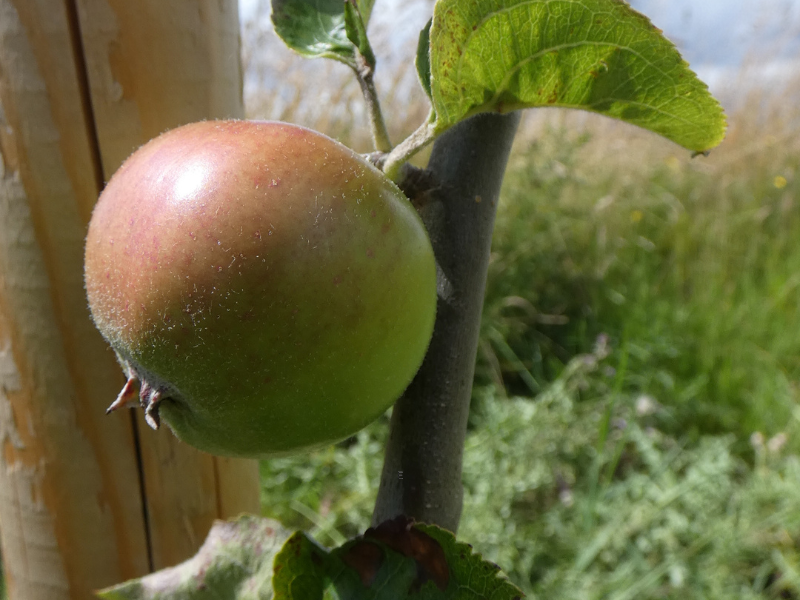
    closeup of an apple on a young tree

    Community Orchard

    December 7, 2023 @ 1:00 pm - 3:00 pm

    Planting Apple trees and planning Wassail event

  • Sat 9
    closeup of an apple on a young tree

    (No Community Orchard meeting)

    December 9, 2023

    No Saturday meeting this month due to limited availability in the group - Saturday meet ups resume in the new year
  • Tue 12
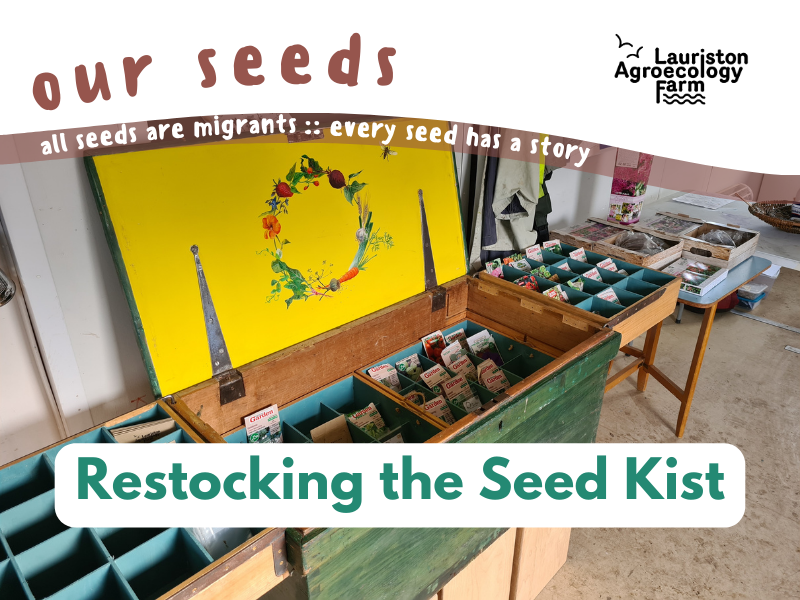
    A photo of a large, hand-painted and decorated wooden chest, opened up to reveal lots of small compartments filled with seed packets.The text reads: Our seeds - all seeds are migrants ~ every seed has a story. Restocking the Seed Kist. The Lauriston Agroecology Farm logo is top right.

    Help Restock the Seed Kist

    December 12, 2023 @ 1:00 pm - 5:30 pm

    Come along for a cosy afternoon packaging seeds for the Seed Kist...

  • December 2023

  • Fri 1
    Five photos from the community allotments: a group of four people kneeling at a raised bed using hand tools; a closeup of a wheelbarrow with bare root trees, with two laughing volunteers behind it; a young, smiling volunteer shovels frost-covered bark into a wheelbarrow, a smiling volunteer moves an empty wheelbarrow on a crisp sunny winter day; beds of veg in autumn light. The text is repeated in the post.

    Drop-in Volunteering

    October 5, 2023 @ 1:00 pm - 3:00 pm

    Drop-in Volunteering in the Community Allotments & Garden...
  • Thu 21
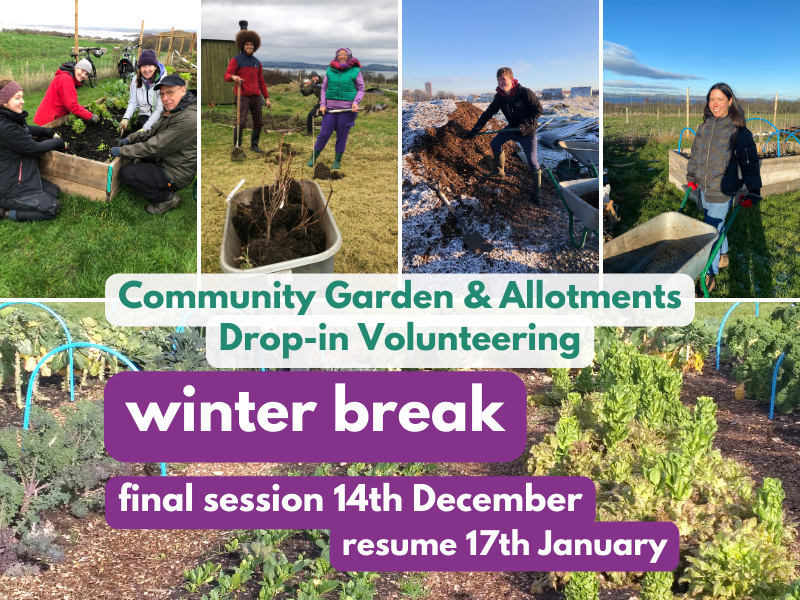
    A photo collage of the community allotments, in autumn/winter light - from top left: a group tending a raised bed; two folk ready to plant bareroot trees from a wheelbarrow; a hardy soul shovelling snow-dusted woodchip from a large pile into a barrow; a smiling volunteer moves a barrow in bright winter sunshine. Bottom image: an allotment plot with winter-growing veg. The text reads: Community Garden & Allotments Drop-in Volunteering winter break. Final session 14th December. Resume 18th January

    (No drop-in volunteering)

    December 21, 2023

    Winter break for the drop-in sessions

  • Thu 28
    A photo collage of the community allotments, in autumn/winter light - from top left: a group tending a raised bed; two folk ready to plant bareroot trees from a wheelbarrow; a hardy soul shovelling snow-dusted woodchip from a large pile into a barrow; a smiling volunteer moves a barrow in bright winter sunshine. Bottom image: an allotment plot with winter-growing veg. The text reads: Community Garden & Allotments Drop-in Volunteering winter break. Final session 14th December. Resume 18th January

    (No drop-in volunteering)

    December 28, 2023

    Winter break for the drop-in sessions

  • Thu 28
    A photo collage of the community allotments, in autumn/winter light - from top left: a group tending a raised bed; two folk ready to plant bareroot trees from a wheelbarrow; a hardy soul shovelling snow-dusted woodchip from a large pile into a barrow; a smiling volunteer moves a barrow in bright winter sunshine. Bottom image: an allotment plot with winter-growing veg. The text reads: Community Garden & Allotments Drop-in Volunteering winter break. Final session 14th December. Resume 18th January

    (No drop-in volunteering)

    December 28, 2023

    Winter break for the drop-in sessions

  • Thu 28
    A photo collage of the community allotments, in autumn/winter light - from top left: a group tending a raised bed; two folk ready to plant bareroot trees from a wheelbarrow; a hardy soul shovelling snow-dusted woodchip from a large pile into a barrow; a smiling volunteer moves a barrow in bright winter sunshine. Bottom image: an allotment plot with winter-growing veg. The text reads: Community Garden & Allotments Drop-in Volunteering winter break. Final session 14th December. Resume 18th January

    (No drop-in volunteering)

    December 28, 2023

    Winter break for the drop-in sessions

  • January 2024

  • Sat 13
    closeup of an apple on a young tree

    Community Orchard

    January 13, 2024 @ 11:00 am - 12:30 pm

    Planning Wassail and design workshops

  • December 2023

  • Fri 1
    Five photos from the community allotments: a group of four people kneeling at a raised bed using hand tools; a closeup of a wheelbarrow with bare root trees, with two laughing volunteers behind it; a young, smiling volunteer shovels frost-covered bark into a wheelbarrow, a smiling volunteer moves an empty wheelbarrow on a crisp sunny winter day; beds of veg in autumn light. The text is repeated in the post.

    Drop-in Volunteering

    October 5, 2023 @ 1:00 pm - 3:00 pm

    Drop-in Volunteering in the Community Allotments & Garden...

  • December 2023

  • Fri 1
    Five photos from the community allotments: a group of four people kneeling at a raised bed using hand tools; a closeup of a wheelbarrow with bare root trees, with two laughing volunteers behind it; a young, smiling volunteer shovels frost-covered bark into a wheelbarrow, a smiling volunteer moves an empty wheelbarrow on a crisp sunny winter day; beds of veg in autumn light. The text is repeated in the post.

    Drop-in Volunteering

    October 5, 2023 @ 1:00 pm - 3:00 pm

    Drop-in Volunteering in the Community Allotments & Garden...

  • Previous Events
  • Today
  • Next Events
  • Google Calendar
  • iCalendar
  • Outlook 365
  • Outlook Live
  • Export .ics file
  • Export Outlook .ics file

Newsletter Signup

  Thank you for Signing Up
1,true,6,Contact Email,2

Lauriston Farm Road, Edinburgh EH4 5EX  |  How to get here
Edinburgh Agroecology Co-operative (EAC) Community Interest Company (CIC)
Terms  |  Privacy  |  Cookies
Website by Urwin Studio

Accessibility
Accessibility modes
Epilepsy Safe Mode
Dampens color and removes blinks
This mode enables people with epilepsy to use the website safely by eliminating the risk of seizures that result from flashing or blinking animations and risky color combinations.
Visually Impaired Mode
Improves website's visuals
This mode adjusts the website for the convenience of users with visual impairments such as Degrading Eyesight, Tunnel Vision, Cataract, Glaucoma, and others.
Cognitive Disability Mode
Helps to focus on specific content
This mode provides different assistive options to help users with cognitive impairments such as Dyslexia, Autism, CVA, and others, to focus on the essential elements of the website more easily.
ADHD Friendly Mode
Reduces distractions and improve focus
This mode helps users with ADHD and Neurodevelopmental disorders to read, browse, and focus on the main website elements more easily while significantly reducing distractions.
Blindness Mode
Allows using the site with your screen-reader
This mode configures the website to be compatible with screen-readers such as JAWS, NVDA, VoiceOver, and TalkBack. A screen-reader is software for blind users that is installed on a computer and smartphone, and websites must be compatible with it.
Online Dictionary
    Readable Experience
    Content Scaling
    Default
    Text Magnifier
    Readable Font
    Dyslexia Friendly
    Highlight Titles
    Highlight Links
    Font Sizing
    Default
    Line Height
    Default
    Letter Spacing
    Default
    Left Aligned
    Center Aligned
    Right Aligned
    Visually Pleasing Experience
    Dark Contrast
    Light Contrast
    Monochrome
    High Contrast
    High Saturation
    Low Saturation
    Adjust Text Colors
    Adjust Title Colors
    Adjust Background Colors
    Easy Orientation
    Mute Sounds
    Hide Images
    Hide Emoji
    Reading Guide
    Stop Animations
    Reading Mask
    Highlight Hover
    Highlight Focus
    Big Dark Cursor
    Big Light Cursor
    Cognitive Reading
    Virtual Keyboard
    Navigation Keys
    Voice Navigation

    Lauriston Farm

    Accessibility Statement

    • www.lauristonfarm.scot
    • April 30, 2026

    Compliance status

    We believe the internet should be available and accessible to anyone, and are committed to providing a website that meets the World Wide Web Consortium’s (W3C) Web Content Accessibility Guidelines.

    We have also added Readabler to the site, which provides a quick and easy way for visitors to adjust how the website looks and behaves.

    If you’ve found a malfunction or have ideas for improvement, we’ll be happy to hear from you. You can contact us on info@lauristonfarm.org or talk to us at any drop-in or open day at the farm.

    Readabler Accessibility Modes

    • Epilepsy Safe Mode: this mode enables people with epilepsy to use the website safely by eliminating the risk of seizures that result from flashing or blinking animations and risky colour combinations.
    • Visually Impaired Mode: this mode adjusts the website for the convenience of users with visual impairments such as Degrading Eyesight, Tunnel Vision, Cataract, Glaucoma, and others.
    • Cognitive Disability Mode: this mode provides options to help anyone with information processing difficulties to focus on the essential elements of the website more easily.
    • ADHD Friendly Mode: this mode helps users with ADHD to read, browse, and focus on the main website elements more easily while significantly reducing distractions.
    • Blindness Mode: this mode configures the website to be compatible with screen-readers such as JAWS, NVDA, VoiceOver, and TalkBack.
    • Keyboard Navigation Profile: this modes enables motor-impaired persons to operate the website using the keyboard Tab, Shift+Tab, and the Enter keys. Users can also use shortcuts such as “M” (menus), “H” (headings), “F” (forms), “B” (buttons), and “G” (graphics) to jump to specific elements.

    Additional adjustments

    Using Readabler, you can make further adjustments to make the website easier for you to use...

    1. Font adjustments – you can increase and decrease font size, change the font family (type), adjust the spacing, alignment, line height, and more.
    2. Colour adjustments – you can select colour contrast profiles such as light, dark, inverted, and monochrome. You can also swap colour schemes of titles, texts, and backgrounds, with over 7 different colouring options.
    3. Animations – epileptic users can stop all running animations with the click of a button. Animations controlled by the interface include videos, GIFs, and CSS flashing transitions.
    4. Content highlighting – you can choose to emphasize important elements such as links and titles. You can also choose to highlight focused or hovered elements only.
    5. Audio muting – users with hearing devices may experience headaches or other issues due to automatic audio playing. This option lets you mute the entire website instantly.
    6. Dictionary – you can use Readabler to look up any words you don't know - it will search Wikipedia and Wiktionary to give you a definition
    7. Additional functions – you can change the cursor colour and size, use a printing mode, enable a virtual keyboard, and many other functions.

    If you would like (a lot) more information on this, click here to go to Readabler's documentation.

    Browser and assistive technology compatibility

    We aim to support the widest array of browsers and assistive technologies as possible. Please let us know if you have any problems using the site with your particular browser or assistive technology.

    Notes, comments, and feedback

    Despite our best efforts to enable anybody to adjust the website to their needs, there may still be pages or sections that are not fully accessible, are in the process of becoming accessible, or are lacking an adequate technological solution to make them accessible. For any assistance, please reach out to info@lauristonfarm.org